Import a project from GitHub

On this page
Beta. Select the repository and branch you want Converter to analyze. Use an account authorized to read that source.
-
On Start a project, select Connect a repository under Import from GitHub.
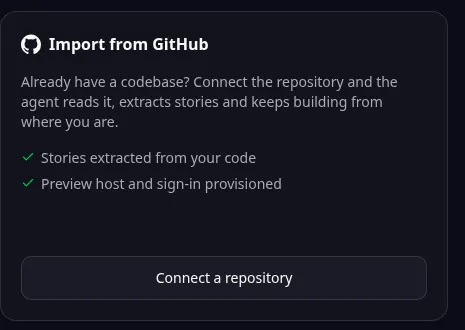
Browser import entry: Connect a repository starts a GitHub import. Follow the guide for local MCP conversion or later-stage review. -
Complete GitHub authorization if requested.
-
Find the intended repository in the picker. Reconnect if the picker reports invalid access.
-
Select the branch whose behavior you want to migrate.
-
Provide a short name and description when requested, then start the intake.
-
Wait for the analysis and read the verdict. Review the scope and cost before approving the next stage.
Keep the original repository revision for comparison. Importing source does not publish a new production site or automatically transfer its database.
For a practice conversion, use the MDN todo application with its MPL-2.0 obligations and synthetic records. If a public repository is not listed under your account, use the supported repository URL option through MCP.
Do not repeatedly import the same source while an intake is running. Check conversion status and recovery first.
Names and marks
GitHub and GitHub Copilot are brands of GitHub, Inc. Usage policy.
MDN, MPL-2.0 names and any associated marks remain with their respective owners or project maintainers. References identify products, standards or source examples. OwlMeans documentation does not imply sponsorship or endorsement by those owners.