Review the analysis and conversion verdict

On this page
Beta. Read the analysis as a comparison between the source behavior and the proposed OwlMeans application. The verdict helps you decide whether to continue and what to address first.
-
Open the conversion’s current status and analysis.
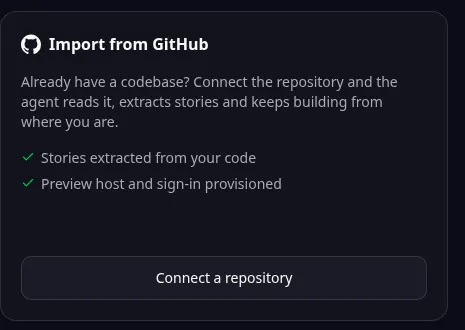
Browser import entry: Connect a repository starts a GitHub import. Follow the guide for local MCP conversion or later-stage review. -
Check the detected source family and the parts of the app it has identified.
-
Compare the extracted stories with the workflows you listed during preparation.
-
Read blockers, uncertain areas and suggested changes.
-
Correct the product description or answer outstanding questions.
-
Continue only when the proposed scope covers the behavior you need.
Review these areas
| Area | What to compare |
|---|---|
| Screens and workflows | Can a user still complete the important actions? |
| Records and relationships | Are the required fields and links represented? |
| Users and access | Are the original roles and restrictions understood? |
| Integrations | Which external services require replacement or configuration? |
| Data migration | What records need a separate migration plan? |
A positive verdict is a basis for proceeding, not a substitute for trying the converted result. If the verdict identifies an unsupported feature, decide whether to simplify it, replace it or keep the original application for now.
See stages and costs before approving the next step.
Names and marks
GitHub and GitHub Copilot are brands of GitHub, Inc. Usage policy. OwlMeans documentation does not imply sponsorship or endorsement by those owners.