OwlMeans Platform
On this page
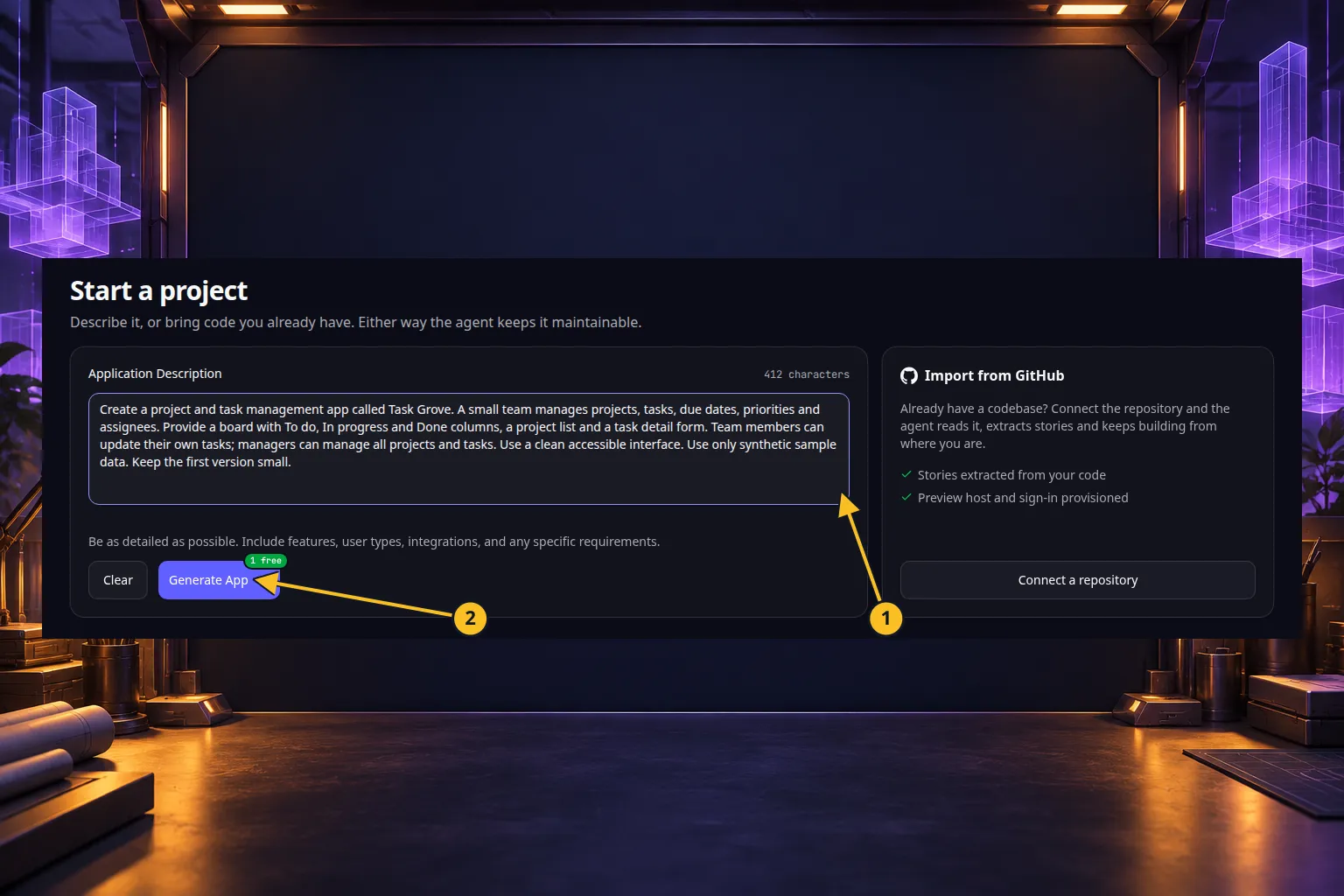
Describe the web app you need, review its specification and accept it. OwlMeans Platform builds the application foundation and its screens. You then choose which features to implement and review the result in a live preview.
OwlMeans Platform does things you don’t even think about: the landing page, access rules, legal pages, and separate preview and production. What your app includes lists them.
The AI pipelines organize planning and development into defined steps. This gives work a consistent architecture and makes progress easier to follow. Reusable libraries and an integrated authorization layer support secure, maintainable applications. Review the generated behavior and permissions before inviting real users.
The concepts you will use
| Concept | What it changes for you |
|---|---|
| Project | Keeps an app’s specification, code, settings and development work together. |
| User story | Describes one thing a person should be able to do. You choose when to develop it. |
| IAM | Identity and access management handles sign-in, users and permissions. |
| Organization entity | A customer organization with its own members and access boundaries. |
| Preview | Lets you try the current app while developing it. Publishing is a separate action. |
| Free flight agent | Makes an open-ended change when a single user story would be too narrow. |
| Project harness | Gives your coding agent tailored instructions, skills and project memory so development can continue across sessions. |
Every project starts from a well-defined application architecture. Read the OwlMeans Tech Concept to see how the interface, business rules, access control and data fit together.
Start building
- Read what your app includes.
- Describe and create your first app.
- Plan and develop a user story.
- Try the preview, check access with different users and decide when to publish.
Explore
- How to: practical browser guides, including GitHub integration.
- Applications you can build: benefits and focused examples.
- Technology: the public libraries behind generated applications.
- OwlMeans MCP: use the same development workflows from your preferred agent.
- Plans and included features: check the allowances before starting paid work.
Application example
Category: Project and task management. Example: Task Grove, a task board for a small team.
Browse this category
- Start here
- OwlMeans Tech Concept
- How to
- Refine your application specification
- Plan and develop user stories
- Make changes with free flight agents
- Use the preview and code editor
- Configure your app and its secrets
- Manage sign-in, users and permissions
- How your app’s users sign in
- Choose Preview or Production users
- Invite, edit and remove users
- Grant and restrict permissions
- Set default permissions
- Manage organizations and members
- Give permissions to groups
- Understand your team’s managed access
- Configure production sign-in
- Review everyone who uses your apps
- Access controls inside your app
- Troubleshoot access problems
- Build for multiple customer organizations
- Customize your application branding
- GitHub integration
- Publish your app and connect a domain
- Continue development with another coding agent
- Maintain your project and recover interrupted work
- Applications you can build
- Project and task management
- CRM and customer management
- Helpdesk and service desk
- Inventory and order management
- Recruiting and applicant tracking
- Field service management
- Business workflows and approvals
- Customer portals and everyday web tools
- SaaS for multiple customer organizations
- Apps with scheduled and background work
- AI workflows
- AI agents
- Technology behind your app
Names and marks
GitHub and GitHub Copilot are brands of GitHub, Inc. Usage policy.
Git names and any associated marks remain with their respective owners or project maintainers. References identify products, standards or source examples. OwlMeans documentation does not imply sponsorship or endorsement by those owners.