Plan and develop user stories

On this page
Implement one feature, try it and use what you learn to plan the next change.
-
Open Board in your project.
-
Choose a planned story or add a new one. State the role, action and useful result.
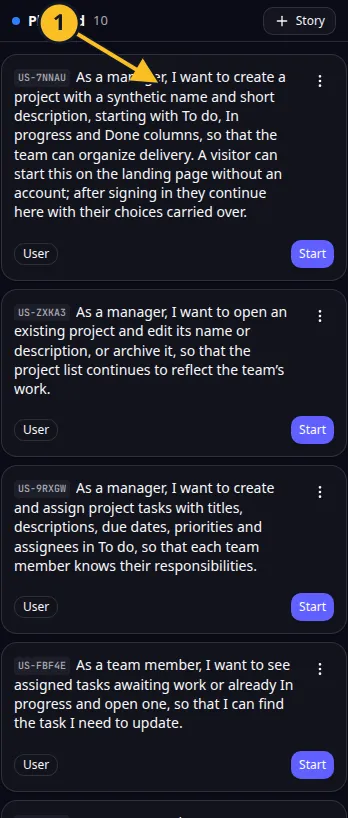
Planned story: 1, review its scope before starting development. -
Review its scope and edit it before starting.
-
Start development from the story card. Review an allowance or credit prompt if shown.
-
Follow the status until development finishes. Read warnings before trying again.
-
Open Preview and carry out the story’s action. Check an allowed user and a user who should be denied.
-
Adjust the story or request a focused follow-up if the result needs work.
For Task Grove, start with creating and updating a task before adding complex filtering. A small completed workflow gives you something concrete to assess.
Resetting a story changes its planning status. It is not a promise to reverse all code or database changes. Review the current app before restarting development.
A story can fail while some changes have already been written. Read its status and recover the existing run rather than repeatedly starting it. Included stories and extra credit-funded development are explained under limits.
Application example
Category: Project and task management. Example: Task Grove, a task board for a small team.