Manage sign-in, users and permissions

On this page
Every app you generate comes with sign-in and access control. You manage the people who use your app from the project’s Users view. The people who sign in to the Platform itself with your account are a separate audience.
How access works
Authentication answers “Who signed in?” People sign in to your app with their email address and a six-digit code, and the app knows who they are. Authorization answers “May this person do this?” It comes from permissions, so a successful sign-in does not grant everything.
Each project has two apps, Preview and Production. They keep their own people, organizations, groups, permissions and settings. Within one app, access builds up in layers:
- Users hold permissions that you grant to them one by one.
- Default permissions give a permission to everyone in a class, such as every member of an organization.
- Groups bundle permissions and give them to all of their members.
- Organizations, also called organization entities, are your customers. They have members and owners, and organization-bound permissions apply only inside one organization.
Quick path
-
Open the project and choose Users. Pick Preview or Production.
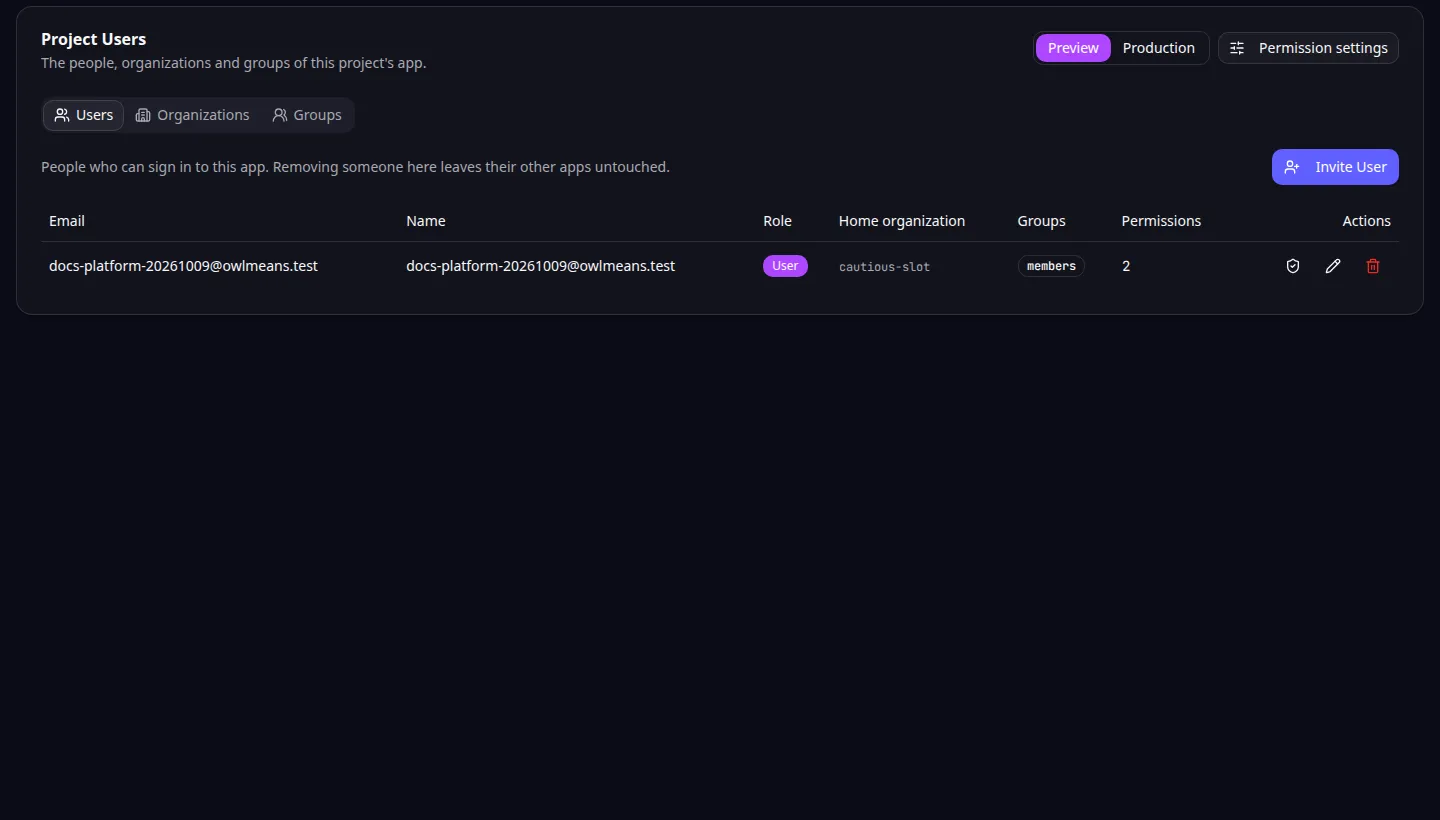
Project users: choose preview or production before managing application access. -
Invite a test user, or edit an existing user’s name, role or sign-in state.
-
Open the user’s permissions and review what they hold and why.
-
Adjust defaults, groups or organization membership if many people need the same access.
-
Sign in to the app as that test user and try an allowed action and a restricted one.
-
Repeat in Production before you open the app to real users.
A person can sign in and still see “Access denied”. That means the sign-in worked and a permission is missing.
For Task Grove, a member should update an assigned task while a manager can manage the team’s projects. Put that in the story, then check it with a member and a manager.
Pages in this section
Sign-in and scope
People and permissions
Organizations and groups
Production, overview and problems
- Configure production sign-in
- Review everyone who uses your apps
- Access controls inside your app
- Troubleshoot access problems
Use organization management when customers need separate workspaces. Pro supports independent production sign-in; see publishing. An agent can do the same work through the MCP user, permission and organization tools.
Application example
Category: Project and task management. Example: Task Grove, a task board for a small team.