Understand projects, user stories and agents

On this page
Use the project board to decide what should happen next. Each user story should describe a user, an action and the result they expect.
Work in small steps
-
Open your project and select Board.
-
Read the planned stories before starting development. Check the user role and expected outcome.
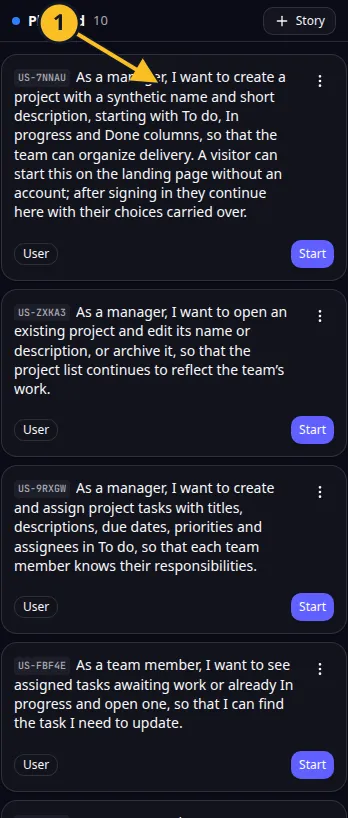
Planned story: 1, review its scope before starting development. -
Rewrite a story if its scope is unclear. Keep one outcome per story where possible.
-
Start development for the chosen story and follow its status.
-
Open the preview and carry out the action as the intended user.
-
Mark or review completion based on what the app actually does.
For Task Grove, “As a team member, I can move my task to Done so the board reflects completed work” is specific enough to try.
A user story is a small piece of product behavior. It helps you review a useful result without reading every line of code.
Use a free flight agent for a broader request, such as improving the board’s accessibility across screens. Say what should improve and what successful behavior looks like. Use the free flight guide before starting.
Stories do not all start automatically. You control which one is developed next. That choice also affects story allowances and credits.
Application example
Category: Project and task management. Example: Task Grove, a task board for a small team.