Reconnect or disconnect GitHub

On this page
Update the project’s GitHub connection when authorization expires or the intended account changes.
Reconnect
-
Open the GitHub card and read its connection status.
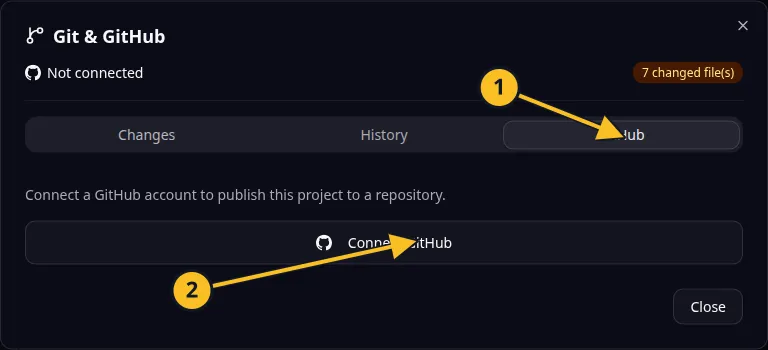
Git dialog: 1, GitHub tab; 2, Connect GitHub. Publishing and synchronization controls appear after connection. -
Select Reconnect when the connection is invalid.
-
Complete the browser authorization with the intended GitHub account.
-
Return and verify the repository link before pushing or pulling.
Disconnect
- Review any work that still needs synchronization.
- Select Disconnect and read the confirmation if presented.
- Confirm the connection is removed.
- Reconnect later before using GitHub operations again.
For Task Grove, disconnect when handing repository access to another authorized maintainer. Coordinate the repository permissions on GitHub as well.
Disconnecting the Platform connection does not delete the repository or erase its remote history. Revoking an app’s authorization on GitHub can affect other connections that share that authorization; review GitHub’s account settings before doing so.
See MCP GitHub tools for connection status and explicit confirmation arguments.
Application example
Category: Project and task management. Example: Task Grove, a task board for a small team.
Names and marks
GitHub and GitHub Copilot are brands of GitHub, Inc. Usage policy. OwlMeans documentation does not imply sponsorship or endorsement by those owners.