Make changes with free flight agents

On this page
Use free flight for a request that spans several screens or needs investigation. It is useful when you can describe the desired outcome without fitting the work into one story.
-
Open the project’s Agent view.
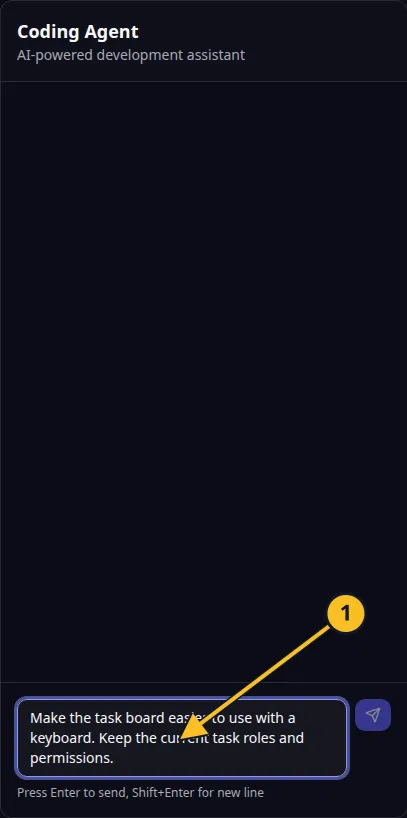
Coding Agent: 1, draft change request. Submit it when you are ready. -
Write the change, its purpose and the parts of the app it affects.
-
Include constraints the agent must keep, such as existing permissions and stored data.
-
Start the request and follow the conversation and activity.
-
Answer questions with a specific choice. Read any cost or confirmation request before agreeing.
-
Try the changed workflow in Preview and review the resulting code or revisions as needed.
Example request: “Improve keyboard navigation on the Task Grove board. Users should reach each task and open its details without a mouse. Keep task ownership permissions unchanged.”
Free flight work can consume credits. A Pro story allowance is not an unlimited allowance for open-ended work. Check how AI work is charged.
If work stops, inspect the current conversation and status before repeating the prompt. Keep one request active until you know whether it completed or needs recovery.
Application example
Category: Project and task management. Example: Task Grove, a task board for a small team.