Maintain your project and recover interrupted work

On this page
Inspect the work already recorded before restarting an interrupted action. This helps preserve useful progress and avoid duplicate development requests.
-
Open the project board or Agent view and read the latest status and warning.
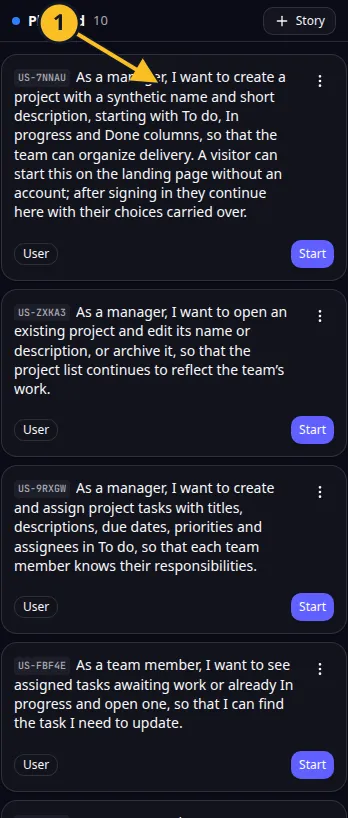
Planned story: 1, review its scope before starting development. -
Check whether the request is still active. Wait if it is making progress.
-
Review any question that needs your answer.
-
If a recorded run has stopped, use its supported resume action through MCP.
-
Review the preview and changed files after recovery.
-
If the preview itself needs attention, use its supported restart or rebuild control and read the resulting status.
For Task Grove, an interrupted board change may already have edited files. Try the existing board before asking for the same change again.
A stopped development run and a stopped preview are different conditions. Resume continues the recorded development work; restarting the preview runs the app again.
Unlocking a stuck agent or reinitializing a project can affect ongoing work. Inspect status and confirm the intended action first. Reinitialization rebuilds the application foundation; it is not a routine retry for every failure.
Keep source revisions in GitHub and avoid deleting an unfinished project as a troubleshooting step.
Application example
Category: Project and task management. Example: Task Grove, a task board for a small team.
Names and marks
GitHub and GitHub Copilot are brands of GitHub, Inc. Usage policy. OwlMeans documentation does not imply sponsorship or endorsement by those owners.