Project and user story limits

On this page
Project creation and story development each have their own included allowance. An included story is a development action; it does not mean unlimited changes to a feature.
| Allowance | Free | Pro |
|---|---|---|
| Project creation | One lifetime project | One per UTC calendar month |
| Story development | One per UTC calendar month | One per subscription week |
| Production capacity | No production site | One concurrent site |
Pro’s story week follows the subscription’s seven-day frame. It is not one story per day, and it is not a Monday-to-Sunday calendar week. Unused allowance does not turn into a credit balance.
Before starting work
-
Open Billing and check the allowance for the action you want.
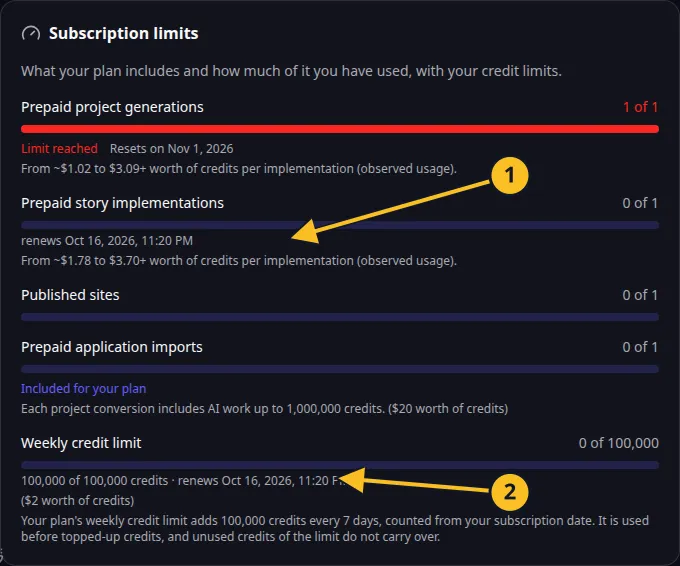
Billing: included action allowances and the current seven-day credit frame. -
Review the project description or story so the requested work is clear.
-
Start the action once.
-
If its included allowance is exhausted, read the displayed credit confirmation.
-
Follow the existing request’s status before attempting another start.
A project reaching its monthly creation limit does not mean you must delete an existing project. Deletion removes project data and does not restore a consumed lifetime allowance.
Free flight and other AI work can use credits independently of the included story allowance. Read AI work costs and weekly credits. The contractual plan description is in the Platform License.