Renew or change your subscription

Review a subscription change in Billing before completing checkout. Pro renews monthly unless you cancel renewal.
-
Open Billing and read the current plan and renewal information.
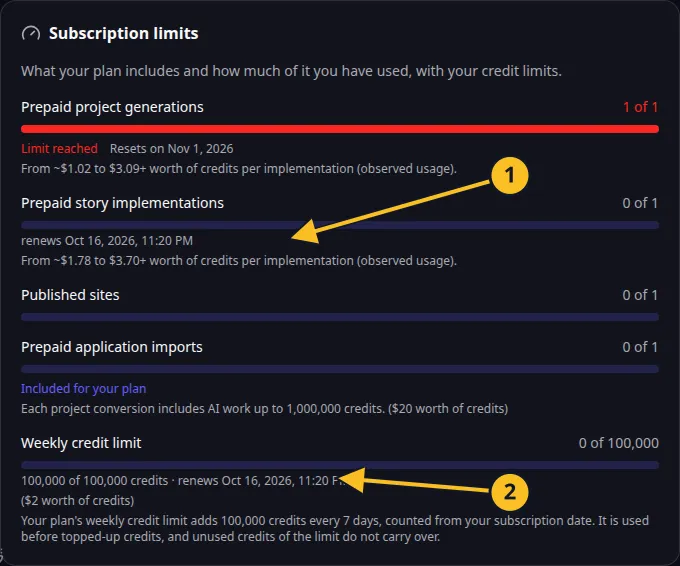
Billing: included action allowances and the current seven-day credit frame. -
Review the offered plan, currency and tax.
-
Read the stated start date and any effect on existing benefits.
-
Complete the purchase in the browser.
-
Return to Billing and check the active plan, project allowance, story allowance and credit frame.
Pro currently includes 100,000 credits and one story per subscription week, one project per month and one concurrent production site. Do not use an older daily story allowance when planning work.
Your subscription’s seven-day credit frame is separate from its monthly billing period. A renewal or change should be assessed using the dates and allowances shown for the resulting subscription.
If payment fails, follow payment problems. To stop the next renewal, use cancellation. To exercise an applicable withdrawal right, use the separate withdrawal process.
Read the Platform License and Cancellation and Withdrawal Policy for the purchase’s conditions.