Resolve payment problems and find billing records

On this page
Check the existing payment before trying checkout again. This helps avoid creating duplicate purchase attempts.
-
Open Billing and check the current plan and credit balance.
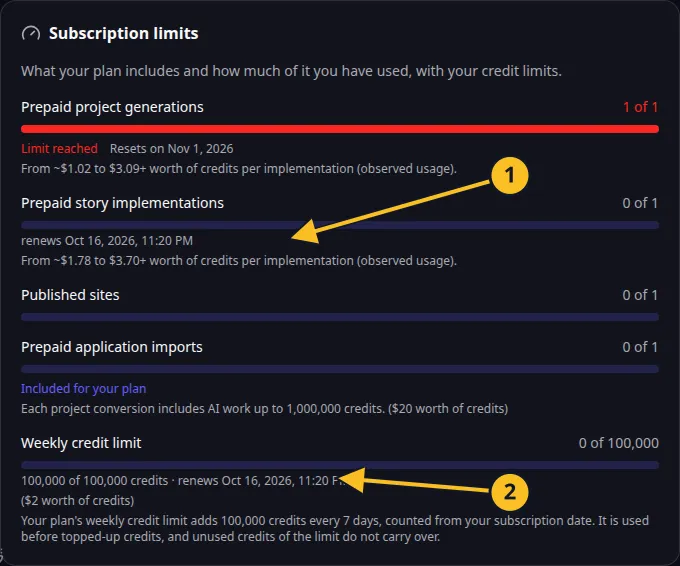
Billing: included action allowances and the current seven-day credit frame. -
Review the payment or purchase record and its status.
-
If the payment is still pending, wait for its recorded outcome.
-
If it failed, check the payment method and purchase limit before retrying.
-
If money was charged but the account has not updated, contact support with the purchase reference, amount, currency and time.
Do not send a complete card number, security code, password or access token. A purchase reference and the visible status are more useful for locating the transaction.
Common causes
| What you see | What to check |
|---|---|
| Top-up amount rejected | The $5–$500 range and your account’s current purchase tier. |
| Available purchase capacity is lower | Lifetime net purchases, refunds and live reservations. |
| Plan access did not update | The recorded payment outcome and intended organization entity. |
| Credit usage differs from an estimate | The completed work and actual recorded usage. |
Read top-up limits and AI costs. Support and contracting-party details are in Company Information. The Terms govern payments.