Claude chat
On this page
Connect Claude chat to the hosted OwlMeans MCP endpoint when your plan and organization allow custom connectors.
-
Open Claude’s connector settings.
-
Add a custom remote connector named
owlmeans.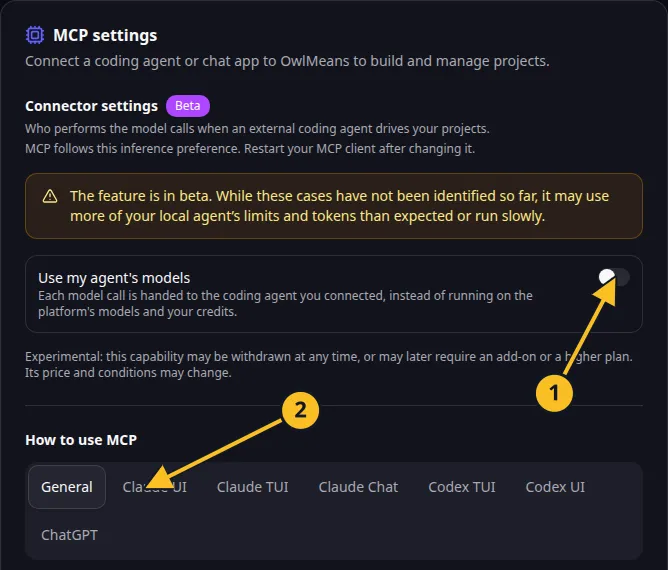
OwlMeans MCP settings: 1, inference preference; 2, client setup tabs. -
Enter this endpoint:
https://api.owlmeans.com/mcp- Complete the OwlMeans browser authorization.
- Enable the connector for the intended conversation.
- Ask Claude to inspect
describe_platformandsession_statusbefore starting work.
See Anthropic’s custom-connector guide for current account availability and admin controls.
Use this connection to draft an app, review stories and manage hosted development. Show the proposed specification to a person before accepting it. Read cost and confirmation requests before proceeding with paid actions.
Remote chat has no executor in your local workspace. For local files or delegated inference, use Claude Code CLI, desktop Code or Claude Code in VS Code.
If access is revoked or expires, reconnect through the connector’s authorization controls. Sign-in and access explains token management.
Names and marks
Visual Studio Code, VS Code, TypeScript and related Microsoft marks belong to Microsoft Corporation. Usage policy.
OpenAI, ChatGPT and related OpenAI marks belong to OpenAI; Codex is an OpenAI product. Usage policy.
Claude and Claude Code are Anthropic products; their names and marks remain with their respective owner. Usage policy.
Node.js, npx names and any associated marks remain with their respective owners or project maintainers. References identify products, standards or source examples. OwlMeans documentation does not imply sponsorship or endorsement by those owners.