Sign in and manage access

On this page
Authorize the MCP connection in the browser. Keep access credentials in local credential storage or an appropriate secret environment.
-
Configure the server in your client.
-
Start the connection and complete the OwlMeans browser sign-in.
-
Review the account and organization entity before approving access.
-
Call
session_statusto verify the connected session. -
Open Settings → Access tokens to inspect or revoke issued access.
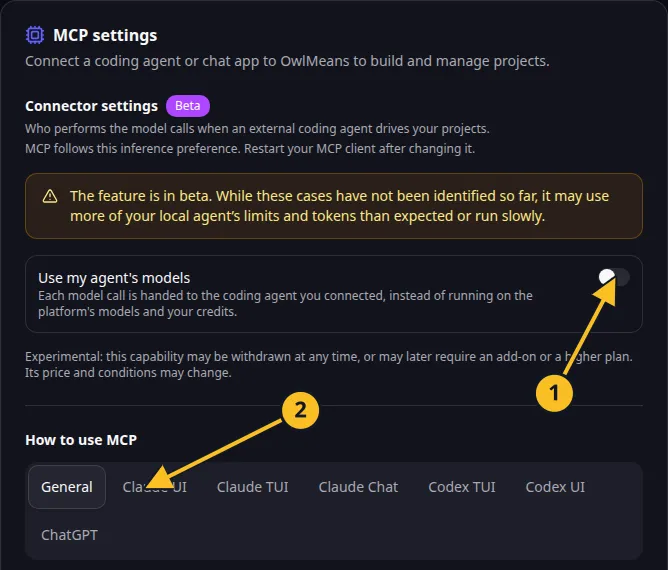
OwlMeans MCP settings: 1, inference preference; 2, client setup tabs.
CLI commands
npx -y @owlmeans/viable-mcp@^0.1.18 login
npx -y @owlmeans/viable-mcp@^0.1.18 status
npx -y @owlmeans/viable-mcp@^0.1.18 logout
Browser-issued MCP access tokens last 90 days and can be revoked before expiry. Manually created tokens use their selected expiry. logout revokes and removes the stored access token. An explicit environment credential must be managed separately.
You can provide VIABLE_API_TOKEN through the server environment for an authorized integration. Do not put its value in command-line arguments, committed client files or screenshots. An explicit environment token is not silently replaced by a later browser login; update or remove that override when changing credentials.
OWLMEANS_CREDENTIALS selects local credential storage, with ~/.owlmeans as the default. Treat that file as private.
Browser consent is required for user authorization. An agent may open the flow and explain it, but should not approve the user’s identity or purchase decisions on their behalf. Read privacy and access.
Names and marks
OpenAI, ChatGPT and related OpenAI marks belong to OpenAI; Codex is an OpenAI product. Usage policy.
Claude and Claude Code are Anthropic products; their names and marks remain with their respective owner. Usage policy.
Node.js, npx names and any associated marks remain with their respective owners or project maintainers. References identify products, standards or source examples. OwlMeans documentation does not imply sponsorship or endorsement by those owners.