GitHub Copilot in VS Code
On this page
Connect OwlMeans to the GitHub Copilot agent in VS Code. Use a local stdio server for workspace files and delegated inference.
- Open the project workspace and confirm Node.js 22 or newer is available.
- Use VS Code’s MCP: Add Server command and choose a stdio command.
- Name it
owlmeans, set commandnpxand supply the arguments below. - Save in the intended workspace or user configuration.
- Open Copilot agent chat, review the server trust prompt and inspect available tools.
VS Code also supports this workspace .vscode/mcp.json form:
{
  "servers": {
    "owlmeans": {
      "type": "stdio",
      "command": "npx",
      "args": ["-y", "@owlmeans/viable-mcp@latest", "--harness", "copilot"]
    }
  }
}
Current releases also support portable MCP configuration. Let the Add Server command write the appropriate format for your version. Review the official VS Code MCP guide.
Use Copilot’s own MCP configuration; the Codex and Claude Code extensions read their respective agent configurations.
Check the connection
- Complete OwlMeans browser sign-in when requested.
- Ask the agent to call
describe_platformandsession_status. - Verify the intended project, workspace and inference mode.
- Ask it to inspect or install the project harness.
- Start a small generation or story workflow.
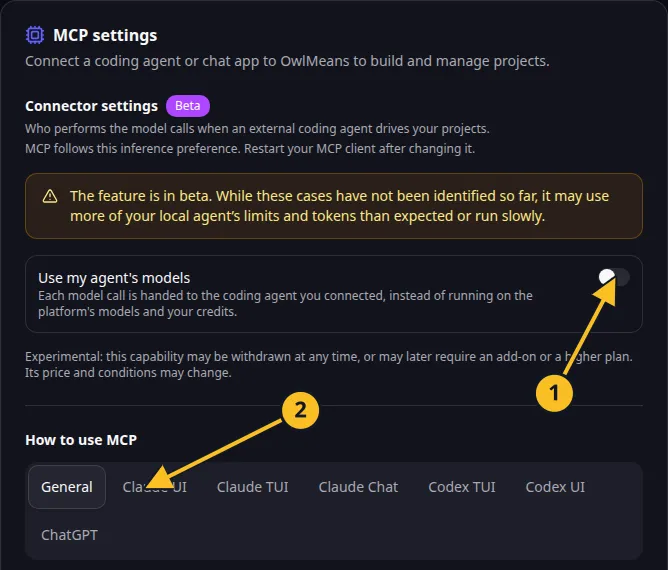
The examples use a local target. Add --target, cloud as separate arguments for a hosted project. Add --llm, local for delegated inference only when the connected coding agent will handle tasks. Mode selection explains the effects and costs.
Keep access tokens out of committed configuration. Restart the client after changing the server settings. If a tool is absent, inspect the connected server’s tool list and troubleshoot.
Referenced technology

Official mark, used unchanged to identify the technology. See the owner notice below.
Names and marks
GitHub and GitHub Copilot are brands of GitHub, Inc. Usage policy.
Visual Studio Code, VS Code, TypeScript and related Microsoft marks belong to Microsoft Corporation. Usage policy.
OpenAI, ChatGPT and related OpenAI marks belong to OpenAI; Codex is an OpenAI product. Usage policy.
Claude and Claude Code are Anthropic products; their names and marks remain with their respective owner. Usage policy.
Node.js, npx names and any associated marks remain with their respective owners or project maintainers. References identify products, standards or source examples. OwlMeans documentation does not imply sponsorship or endorsement by those owners.